



Now Reading: Why Hostinger Doesn’t Support Java Hosting on Shared Plans
-
01
Why Hostinger Doesn’t Support Java Hosting on Shared Plans


Hostinger doesn’t support Java on shared hosting plans because those plans are built for simpler, locked-down web apps, not for full custom server setups. The issue is usually the hosting environment, not Java itself, so your project may run fine on a more flexible server. If you’re trying to run a Java app, a VPS hosting plan or managed cloud hosting is often the better fit.
That matters because Java needs more control over server access, background processes, memory use, and environment settings than shared Web hosting usually allows. On shared plans, the server is shared across many users, so Hostinger keeps tight limits in place for stability and security. In practice, that means Java-based apps, custom runtime needs, and some backend services won’t fit the shared setup even if the code itself is fine.
If you’ve hit this wall, you’re not alone, and the fix is usually straightforward once you know what the app needs. This post breaks down what Java requires, why shared hosting falls short, what Hostinger does support, and which options make sense instead, including VPS hosting options for more control and flexibility.
What Java needs from a hosting server
Java apps ask more of a server than many shared plans are built to give. They often need a live process, enough memory to stay stable, and direct control over how the app starts and runs. That is where shared hosting usually runs out of room.
Hostinger’s shared plans are tuned for simpler sites, especially those built around PHP, WordPress, and static files. Java usually sits outside that model, because it behaves more like an always-on service than a simple page loader. Once you look at the server requirements, the gap becomes easy to see.

Why Java apps need more than a simple web host
Traditional Web hosting is built for sites that load files, serve pages, and finish their work fast. That setup fits WordPress blogs, PHP apps, and static websites very well. Java apps are different, because they often need a process that stays alive in the background after the request ends.
That difference matters. If the hosting account only allows basic web serving, a Java app may never start properly, or it may shut down after a short time. Limited server access can block the startup command, stop a background service from staying active, or prevent the app from binding to the port it needs.
In simple terms, shared hosting is like a front desk, while many Java apps need an office that stays open all day. If the platform does not allow that kind of setup, the app cannot behave the way it was designed to.
Java often needs a persistent runtime, not just a place to upload files.
The role of RAM, CPU, and long-running processes
Java apps can use more memory than a basic site, especially when the app loads a framework or keeps several services active. They also need steady CPU resources, because the Java Virtual Machine keeps working in the background while the app runs. On a busy shared server, that can become a problem fast.
Shared resources create limits. If several accounts are using the same machine, one heavy app can slow others down. Hostinger’s shared plans keep those limits tight on purpose, so a Java service may hit memory caps, time out during startup, or slow down when the server is under load.
For readers comparing hosting types, VPS hosting solutions are usually a better fit here. A VPS gives you more room to control resources, and that extra space helps long-running apps stay online without fighting for every bit of RAM or CPU.

Why port access and server control matter
Many Java services need a custom port, not the default web ports that shared hosting exposes. They may also rely on environment variables, startup scripts, or terminal commands to launch correctly. Without those controls, the app can be installed but still fail to run.
That is why Linux VPS hosting is often mentioned in Java discussions. It gives you root access, SSH, and far more control over how the server behaves. Shared hosting usually blocks those options, so Java support breaks down before the app even gets a chance to start.
The same issue shows up with apps that need to watch logs, restart services, or open specific ports. If you cannot control those settings, you cannot manage a Java app with any real confidence. For that reason, missing SSH, root access, or port control is one of the most common reasons Java is not supported on shared plans.
Why Hostinger says Java is not supported on shared hosting
Hostinger keeps Java off shared hosting because shared plans are designed for simple, predictable websites. They work well when a server only needs to deliver pages, handle forms, and stay light on resources. Java apps need more room to breathe, more control over the server, and a runtime that stays active in the background.
That difference explains most of the limit. A shared plan can be a great fit for Hosting for WordPress, a small business site, or static content. Once you move into application servers, custom ports, or long-running processes, the setup starts to clash with how shared hosting is built.
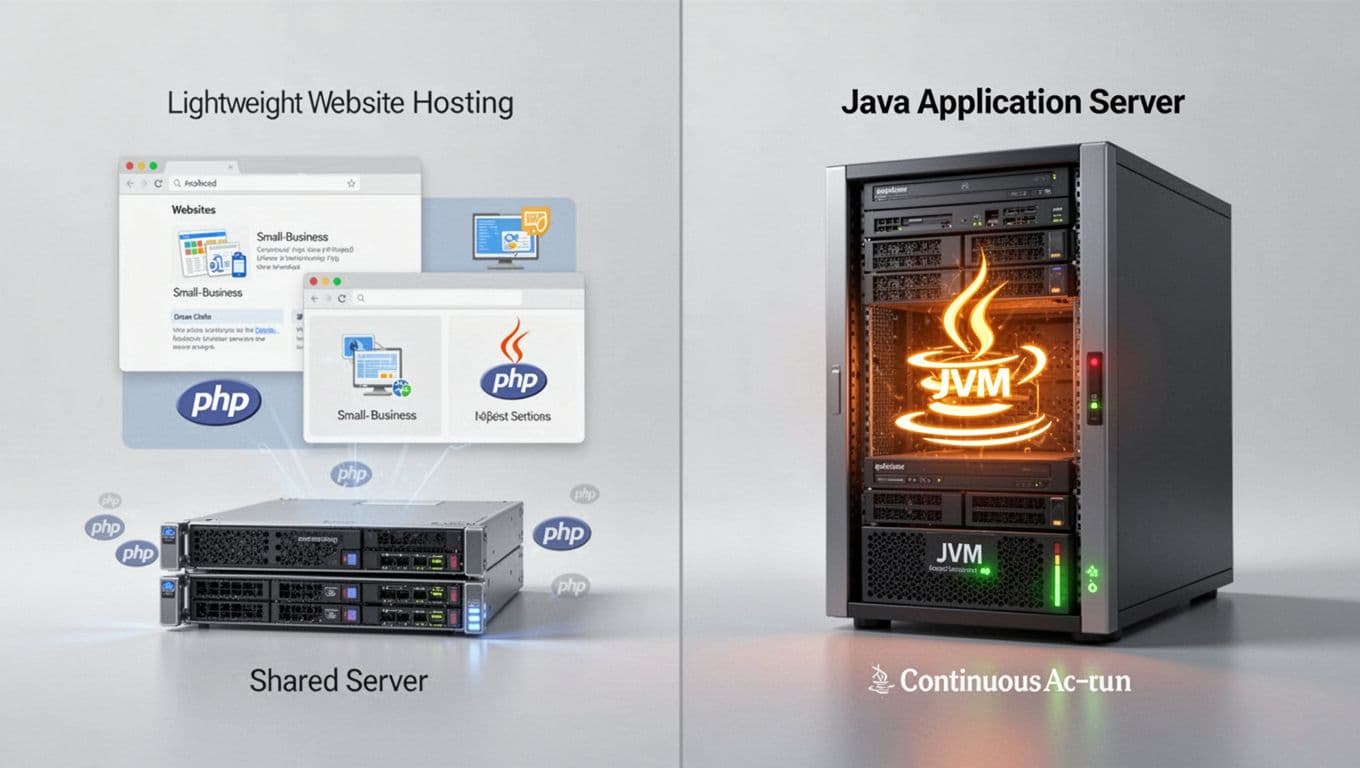
Shared hosting is built for websites, not server apps
Shared hosting is ideal when your site behaves like a website. It serves pages, loads quickly, and finishes its work without keeping a service alive all day. That is why it works so well for WordPress, small business pages, and static content that does not need constant server-side processing.
Java services work differently. They often run as always-on application servers, which means they need a process that stays active, keeps memory allocated, and listens for requests on a port. If the platform only expects a simple site, the Java app may have nowhere to sit.
This is where the mismatch shows up. A shared plan can handle common web tasks with ease, but it is a poor match for backend software that behaves like a service rather than a website. For many users, that is the line between Web hosting and a true application environment.
Security and stability limits shape the platform
Shared servers protect everyone by staying strict. Hosting providers usually block background services, custom binaries, and system-level changes because one account should not affect every other account on the same machine. Those limits help keep the server stable and reduce the risk of one site breaking the rest.
That same policy also cuts down Java support. Java apps often need custom startup commands, extra permissions, or server settings that shared hosting does not allow. When a provider locks those things down, it avoids risky behavior, but it also removes the flexibility Java depends on.

A quick way to see the tradeoff is this:
- More security usually means fewer server changes.
- More stability usually means fewer background services.
- More control usually requires a different hosting type.
That is why Java hosting often belongs on managed cloud hosting or a VPS, where the environment can support more custom work without affecting other users.
Resource isolation creates strict boundaries
Shared hosting divides CPU, RAM, and process limits across many accounts. That works fine for lightweight websites, because they use small bursts of power and then settle down. Java apps can push those limits faster, especially while they start up or when traffic jumps.
Startup is a common pain point. The Java Virtual Machine needs time and memory before the app is ready to serve traffic. On a shared plan, that startup load can hit resource caps before the app fully wakes up.
Traffic spikes create another problem. A simple site may only need a modest resource bump, but a Java app can scale up fast when users hit it at once. If the host enforces tight isolation, the app may slow down, time out, or fail to launch under pressure. For projects that need more headroom, VPS hosting providers are usually a better fit because they give you clearer resource boundaries and more consistent performance.

If your project needs Java, the real question is not whether the code works. It is whether the hosting model can support how the app runs. On shared hosting, the answer is usually no, because the platform is built for compact websites, not always-on server software.
Where Hostinger does fit for Java-related projects
Hostinger still fits well for Java projects, just not on shared hosting plans. The right match is usually a server setup that gives you more room to run your app, manage resources, and control how the software behaves.
That matters if your Java project needs more than a basic website host. In many cases, Hostinger is a strong fit for the services around the app, or for a VPS where the Java runtime can run without shared-plan limits.
Why VPS hosting is the better path for Java

A VPS gives you a private slice of server resources, so your Java app gets more control and fewer restrictions. You can install the software you need, manage background processes, and adjust the server to fit the app instead of forcing the app to fit the host.
That is a much better setup than shared hosting, where the server is locked down for everyone’s safety. On a VPS, you can use SSH, set up custom services, and keep Java running more freely. For most Java projects, that difference is the line between a platform that feels cramped and one that feels usable.
Hostinger’s VPS hosting plans are a practical next step when you need Java support without moving into a fully managed application environment. You still have to handle your app setup, but you get the control that Java usually expects.
How to use Hostinger for the parts around your Java app

Even when the Java app itself lives on a separate server, Hostinger can still handle the pieces around it. You can register a domain name, create a professional business email address, and build a simple landing page for signups or product updates.
This setup is common for teams that split the workload. The Java application runs on its own VPS or cloud server, while the public-facing website stays on a simpler platform. That keeps your marketing pages easy to manage and your app environment free for backend work.
Hostinger also works well for a Website Builder or a small marketing site tied to the project. If you only need a homepage, contact page, or early waitlist page, you do not need to force Java into that role.
When a managed website platform is enough instead
Some readers do not need Java hosting at all. If the goal is a blog, store, portfolio, or company site, a managed website platform is often the better choice. You get less setup work, fewer server tasks, and a faster path to publishing.
That is why hosting for WordPress works so well for content sites. The same is true for hosting for WooCommerce when you want to run an online store without managing a full server stack. For many owners, that is enough because the site only needs page hosting, checkout tools, and routine updates.
If your project is mostly content, a store, or a brochure-style website, Java adds complexity you may never use. In that case, a managed platform is simpler, cheaper to maintain, and easier to hand off later if needed.
What to choose if you need to run Java anyway
If your app needs Java, the safest move is to pick a host that gives you control, space, and room for service management. Shared hosting can feel cheaper at first, but Java usually needs more than a simple upload-and-go setup.
The right choice depends on how the app runs. A small test project may only need a basic VPS, while a live app may need stronger resource limits, service restarts, and version control. Start with the server model, not the price tag.

Features to check before buying a Java-friendly host
Before you buy, check for full server access. Java apps often need SSH, custom startup commands, and the ability to edit config files without fighting platform limits. If you cannot control the server, you may end up with an app that installs but never runs properly.
Pay close attention to RAM and CPU too. Java uses memory fast, especially during startup or when traffic rises. If the plan is too small, the app can slow down, crash, or fail before it loads.
You should also confirm Java version support. Some apps need a specific runtime, and older or newer versions can break compatibility. A host that lets you choose or install the right Java version saves a lot of trouble later.
Another must-have is the ability to restart services. Java apps often need a quick restart after changes, updates, or error recovery. If you cannot restart the process cleanly, even small fixes become a hassle.
A good Java host should also let you monitor logs and manage background processes. That makes troubleshooting far easier, because you can see what failed instead of guessing.
If a host hides the server too much, it usually hides the tools Java needs most.
For readers who want more control without managing every detail alone, CloudLinux VPS hosting is a strong option to compare against plain shared hosting.
Common mistakes people make when hosting Java
The biggest mistake is choosing the cheapest shared plan and expecting it to run like a VPS. Shared hosting is built for lighter websites, so Java apps often hit limits fast. A low price helps at checkout, but it can cost more in lost time and failed deployments.
Another common slip is assuming cPanel handles everything. A control panel is useful, but it does not replace root access, process control, or enough memory. Java apps still need a server environment that matches how they run.
People also forget that Java apps need updates and monitoring. The runtime changes, dependencies change, and bugs show up after launch. If you never check logs or patch the app, small issues can grow into downtime.
There is also the habit of treating Java like a static site. It isn’t. It needs active care, and that includes service restarts, resource checks, and version tracking.
A quick reminder for planning helps here:
- Cheap hosting can work for simple sites, but Java often outgrows it fast.
- Default hosting tools are not enough if the app needs custom startup behavior.
- Ongoing maintenance matters because Java apps are not set-and-forget projects.

Simple next steps for beginners
Start by deciding whether your app is a small project or something that must stay online for users. A test app has different needs than a production app, so the server should match the job. That single decision shapes everything that comes next.
Next, write down the deployment basics. Check the Java version, any database needs, port requirements, and whether the app needs background services. If the app depends on startup scripts or environment variables, make that clear before you choose a plan.
Then test on a VPS before you go live. A private server gives you a safer place to install, break, fix, and restart without affecting real users. It also shows you early if the app needs more RAM or tighter tuning.
Once the app runs well in testing, move it to production with the same setup. Keep the host choice simple, keep the version consistent, and keep the monitoring in place. If your Java app is serious enough to run every day, it deserves a server that can keep up.

Conclusion
Hostinger does not support Java on shared hosting because Java apps need more control, more memory, and a server setup that can keep a process running in the background. Shared plans are built for standard websites, so the limit is about platform fit, not a problem with Java or with Hostinger itself.
That is why Hostinger still makes sense for VPS hosting pricing, web hosting, domains, and tools around your site, while Java apps belong on a VPS or another Java-ready environment. If the app itself has to run, the server must match the workload, or the setup will keep getting in the way.
The main takeaway is simple: use Hostinger for the website layer, then move Java to a VPS or a similar server that gives you real control. That keeps your project stable and avoids forcing the wrong hosting plan to do a job it was never built for.
Related Posts


Stay Informed With the Latest & Most Important News
Previous Post
Next Post


Advertisement



